

Distribution
Distribution
How do I get a Boeing Distribution account if I do not already have one?
To request a Boeing Distribution account, contact your Sales Representative or click here.
My login credentials for the Boeing Distribution unified website aren’t working anymore, what do I do?
Have you migrated yet? Your Boeing Distribution (formerly Aviall) or Boeing Distribution Services credentials will not work to access the new Boeing Distribution unified website.
To learn more about migrating your existing Boeing Distribution account(s), click here.
If you have successfully migrated and are unable to log in with your Boeing OneLogin credentials, please see the Boeing OneLogin support article.
Why am I being asked to log in with MyBoeingFleet login?
If you are a Boeing Distribution account holder and have MyBoeingFleet credentials, your Boeing Distribution accounts were migrated for you. You will now use your MyBoeingFleet credentials to log in to the Boeing Distribution unified website. We have also placed a product tile in My Favorites on MyBoeingFleet for the new website to make it easier to access – no extra login required when coming from MyBoeingFleet.
Note: If you use a federated MyBoeingFleet login that doesn't use AviationID, you will need to access the Boeing Distribution unified website from MyBoeingFleet. Logging in directly to the new site is not supported.
I have MyBoeingFleet/AviationID credentials, why am I not being directed to log in with those credentials?
It’s possible your Boeing Distribution account(s) are under a separate email. Please go to the Migration Manager to link those accounts over to your MyBoeingFleet/AviationID. If that doesn’t resolve your issue, email Access Support.
I'm having issues with my MyBoeingFleet/AviationID credentials. What do I do?
I'm having issues with my Boeing OneLogin that aren't addressed here. What do I do?
Please see the Boeing OneLogin support article.
I’m new to the website. How do I set up a new account?
If you are a brand-new distribution user, welcome! Start registration or request access (if your company is already registered).
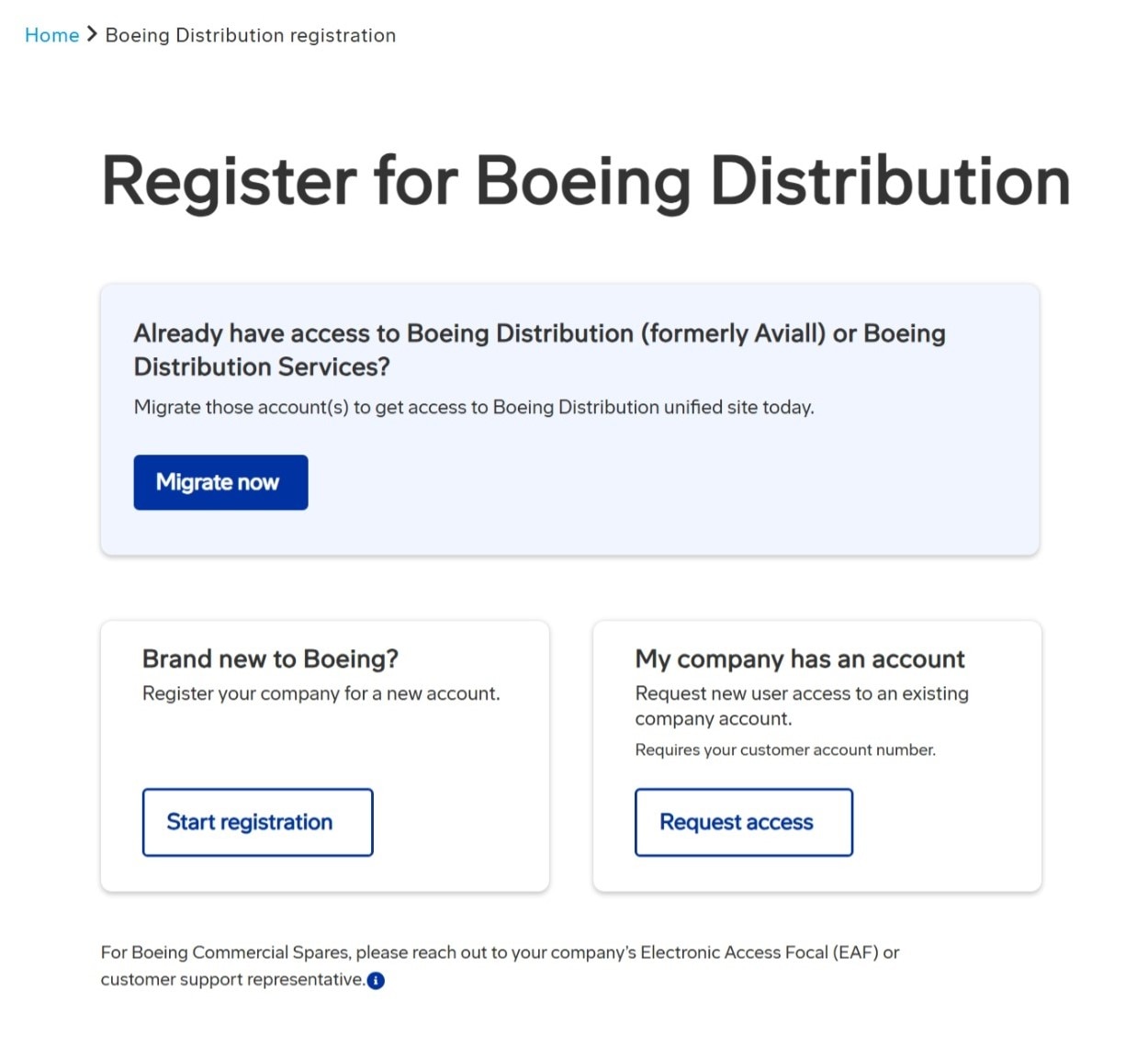
If you’ve previously used our retired sites – Boeing Distribution (formerly Aviall) or Boeing Distribution Services – you’ll need to migrate that account to the new site. Use the Migration Manager to complete that process.
My login credentials for the unified Boeing Distribution website aren’t working. What do I do?
Have you migrated your account? If not…
· Your Boeing Distribution (formerly Aviall) or Boeing Distribution Services credentials will not work to access the unified Boeing Distribution website.
· Our Migration Manager walks you through the process of migrating your account to Boeing OneLogin, our secure, single sign-on (SSO) solution for account access.
If you have successfully migrated and are unable to log in with your Boeing OneLogin credentials, submit a support case to be connected with a support representative.
Why am I being asked to log in with MyBoeingFleet login?
If you are a Boeing Distribution account holder and have MyBoeingFleet/AviationID credentials, your Boeing Distribution accounts were migrated for you.
· Users with AviationID credentials can log in directly to the unified Boeing Distribution website.
· All MyBoeingFleet users (including federated users without AviationID) can authenticate into the unified site from the ‘My Favorites’ grid in the online portal (find the product tile labeled ‘Boeing Distribution’) — no extra login required when coming from MyBoeingFleet.
· Federated MyBoeingFleet users (without AviationID) must follow the step above to access Boeing Distribution from the MyBoeingFleet portal. Logging in directly to the unified site is not supported.
I have MyBoeingFleet/AviationID credentials. Why am I not being directed to log in with those credentials?
If you used a different email for Boeing Distribution (formerly Aviall) or Boeing Distribution Services than you use for MyBoeingFleet, you’ll need to consolidate those accounts first. Please launch Migration Manager and select ‘Associate Multiple Accounts’ to link accounts. If your issue is still unresolved, submit a support case.
I'm having issues with my MyBoeingFleet/AviationID credentials. What do I do?
Visit the AviationID FAQs page.
I'm having issues with my Boeing OneLogin that aren't addressed here. What do I do?
More information about Boeing OneLogin and troubleshooting is available here. To connect with a support representative, submit a support case.
What is Migration Manager?
Migration Manager enables users of the original Boeing Distribution (formerly Aviall) and Boeing Distribution Services websites to migrate to the unified Boeing Distribution site and access their Boeing Distribution accounts with a unified Boeing OneLogin.
How do I migrate to the Boeing Distribution unified website?
Follow the prompts using Migration Manager.
Who should migrate?
Anyone with Boeing Distribution (formerly Aviall) or Boeing Distribution Services accounts who do not have an active Boeing OneLogin should migrate. The exception is users with MyBoeingFleet/AviationID credentials.
Why don’t I need to migrate if I have MyBoeingFleet/AviationID credentials?
Original accounts for MyBoeingFleet/AviationID users have already been migrated. You will now be able to use your MyBoeingFleet/AviationID credentials to access the new Boeing Distribution unified website.
If you aren’t automatically redirected to login with your MyBoeingFleet/AviationID credentials, it’s possible your Boeing Distribution account(s) are under a separate email. Please go to the Migration Manager tool to link additional emails with your MyBoeingFleet/AviationID.
How long does it take to migrate to Boeing OneLogin?
The migration process takes 5 minutes or less. Once migration is complete, you should receive a confirmation email in 30 minutes or less.
I didn’t get the One-Time Passcode (OTP)? What do I do?
Please check your spam/junk folder(s) or ‘other’ section if you use Outlook. If you did not receive it, retry again by selecting ‘Click to resend.’ Depending on your email host, you may need to wait up to 15 minutes. If you still do not receive the OTP, submit a support case for help.
I don't have access to my existing Boeing-associated email. How do I move forward?
If you can’t access that mailbox, submit a support case for help.
I tried the Migration Manager but it said my account couldn’t be found. What do I do now?
After confirming your email address is correct and still no account is found, submit a support case.
Existing credentials were found for my email but I don’t remember migrating. What happened?
A Boeing OneLogin already exists for the email entered. This happens for MyBoeingFleet/AviationID users or other accounts who were given early access to the unified Boeing Distribution website.
Select ‘Log In’ to view associated Boeing Distribution accounts. Then follow the ‘Forgot password’ prompt if you don’t remember the password.
MyBoeingFleet users will be routed to their standard MyBoeingFleet authentication process.
What are the requirements for a Boeing OneLogin password?
Below are the password requirements for a Boeing OneLogin.
· 8 to 64 characters
· At least 1 letter
· At least 1 number
· At least 1 special character
· At least 4 different characters
· No spaces
· No invalid characters
What if I received a ‘Something went wrong’ error message?
This error indicates that the migration was not successful. In most cases, re-running the Migration Manager tool will resolve the issue. Select ‘Return to homepage’ to try again. If that doesn’t help, please submit a support case.
Why haven’t I received an email to let me know my accounts have been migrated?
If you have not received your migration success email within 30 minutes, try logging in to the unified Boeing Distribution website. You will be asked to confirm your default Boeing Distribution accounts. If no accounts are listed, submit a support case for assistance.
What if I’m missing some of my accounts?
If your accounts are under different emails, use the Migration Manager tool to migrate additional accounts over to your Boeing OneLogin account. If you still have issues, submit a support case.
I have a Boeing OneLogin account and want to migrate additional accounts over to it, what do I do?
Currently, Boeing OneLogin works with Boeing Distribution only. If you have additional distribution accounts to migrate, start here. Select ‘Show me the help screen’ and then ‘Associate multiple accounts.’
I have multiple Boeing OneLogin accounts and want to consolidate them to a single account, what do I do?
Submit a support case to request consolidation of multiple Boeing OneLogin accounts.
What is Smart Multi-Factor Authentication (MFA)?
Smart MFA is a new security feature for Boeing OneLogin (B1L). MFA layers protection over your digital identity by requiring multiple methods of verification:
Your existing login and password, and
Your choice of text message, voice call, an authentication app, and/or passkey*
Unlike typical MFA applications that require additional verification for every login, our smart system continually assesses your login behaviors.
If your login behaviors are consistent and low risk, MFA is unlikely to be triggered; your username/password will be adequate verification.
If your login behaviors change or higher risk actions are attempted, MFA will be triggered; you will be required to verify your identity with your username/password and a MFA method.
*Passkey method will not be available until October 7, 2026.
How does Smart MFA work?
Boeing OneLogin (B1L) users will be prompted to set up Smart MFA beginning September 1, 2026. You can delay setup until October 7 using the ‘Defer’ button, after which you must register at least one MFA method before logging in to Boeing Distribution, My Account, or other relevant apps. We recommend registering two MFA methods to have a backup in the system.
Our Smart MFA system protects you quietly in the background, assessing login behavior and measuring risk.
If your login behaviors are consistent and low risk, it’s likely that MFA will not be triggered after initial setup.
If your login behaviors change or the system flags higher risk actions, MFA will be triggered, layering protection over your digital identity. Examples include:
· Logging in from a new device
· Logging in from a new location
· Logging in with a tampered device
What about shared Boeing OneLogin (B1L) accounts?
For security measures, shared team accounts (multiple people sharing the same B1L credentials) are no longer supported after October 7, 2026; each person will need to create/provision their own account with separate B1L credentials.
If you need assistance, submit a support case or email access-support@boeing.com.
See Amending Shared Accounts and Safeguarding Service Accounts for detailed instructions.
What about service or software B1L accounts?
Customers should submit a support case or email access-support@boeing.com to identify service (e.g. software/non-human) accounts for “whitelisting,” informing support about each account and explaining how it is being used. After verifying these are valid uses of a service account, the account will be “whitelisted” and granted alternate configurations.
See Amending Shared Accounts and Safeguarding Service Accounts for detailed instructions.
When do I need to set up my multi-factor authentication (MFA) method?
On or after September 1, 2026, you will be prompted to set up Smart MFA upon logging in. You can use the ‘Defer’ button to delay until the MFA deadline: October 7, 2026.
How do I set up my Smart MFA?
On or after September 1, 2026, you will enter your username and password and be prompted to set up MFA. Step by step instructions can be found at our knowledge article, Setting Up MFA for Existing B1L Users.
What MFA methods can I use?
Smart MFA methods include:
Text message using your preferred cell phone. (Please use a cell phone that you can access while logging in.)
Voice call using a cell phone or direct landline. (Please use a phone that you can access while logging in.)
Authenticator app using your preferred third-party application (e.g., Google Authenticator, Microsoft Authenticator, Duo, Authy, 2FAS)
Passkey: a modern authentication method that utilizes public key cryptography and can incorporate biometrics like fingerprints or facial recognition for enhanced security.*
*Passkey method will not be available until October 7, 2026.
Is email an option for Smart MFA?
No. Users must select one of these methods:
· Text message
· Voice call
· Authenticator app
· Passkey (available on October 7, 2026)
Because your email is used as your username, it is not a secure MFA method.
I prefer using my work number which is a direct office phone number; does that work with voice authentication?
Yes, as long as the phone number is direct and does not require an extension, you can use it for voice authentication.
My phone number includes an extension; does that work for voice authentication?
No, for voice authentication, you must have a direct phone number without an extension.
I’m setting up my MFA method but I keep getting errors. What do I do?
Please submit a support case or email access-support@boeing.com.
I’m a Boeing OneLogin (B1L) user in China trying to set up MFA. When I choose the Text option, I never receive a text so I cannot proceed. What should I do?
There is a known issue with Chinese telecommunications companies blocking Text/SMS, Voice, and some Authentication applications used for MFA. The workaround: When prompted to set up your MFA method, select ‘Defer Setup of MFA.’ This allows you to bypass MFA and log in to Boeing Distribution and other target sites or apps.

We will update this FAQ when additional authentication options are in place.
I’ve set up Smart MFA but I just logged in without any MFA prompts. Is something wrong?
Not to worry! Smart MFA will only trigger if risk is detected. When you are not prompted for MFA, it just means that the system has indicated low risk.
I don’t have access to my MFA method (lost phone, locked out of authenticator app). What do I do?
Follow the steps outlined in our knowledge article, Reset Your Multi-Factor Authentication (MFA) Method.
Can I skip setting up and registering my Smart MFA and do it another time?
Yes, Smart MFA setup can be delayed until October 7 by selecting the onscreen 'Defer’ button. Effective October 7, 2026, all B1L users must set up at least one MFA method.
I’m not sure how to use an authenticator app. How do I set it up?
Authenticator apps are third-party applications that generate time-based one-time passwords (TOTPs) used during the login process. We recommend working with your IT department to select an authenticator app that best fits your circumstances.
Once you’ve selected and downloaded the authenticator app of your choice, review the vendors’ instructions on setting up that MFA method.